The Phomemo M110 Label Printer is a compact thermal printer aimed at small businesses and home users who need more than basic address labels.
This Phomemo M110 Label Printer review looks at its label-size range, mobile workflow, and practical limits to help you decide whether it fits your routine.
Phomemo M110 Review Summary
The quick verdict
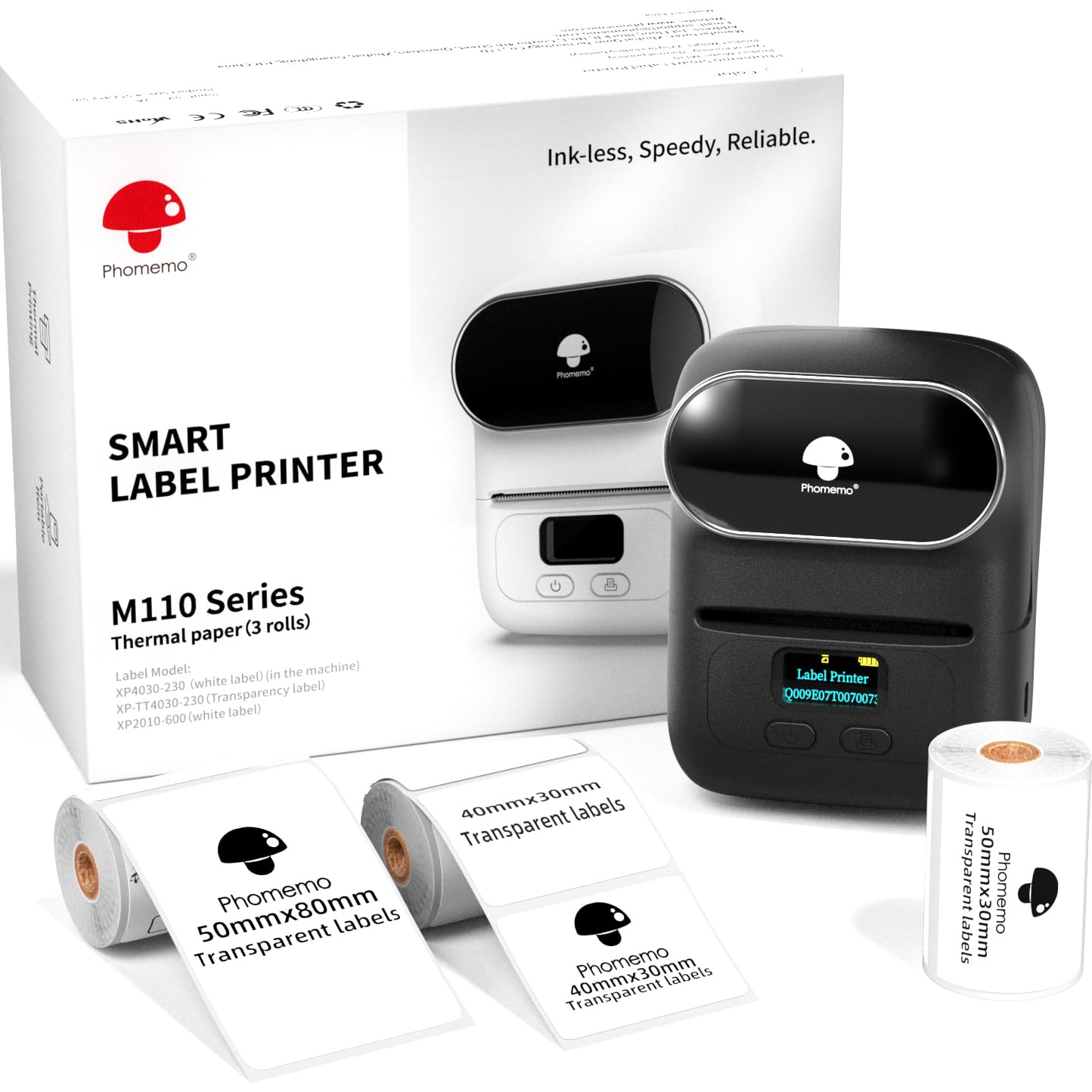
1,000+ ratings
Read Amazon ReviewsPhomemo M110 Label Printer
A portable thermal label printer for small sellers and home users who need varied labels, batch printing, and app-based design.
- Prints monochrome thermal labels without ink, toner, or ribbons.
- Supports label widths from 20 to 50 mm and a maximum label length of 80 mm.
- The set includes three label sizes: 40 × 30 mm, 50 × 30 mm, and 50 × 80 mm.
- Prints text, pictures, QR codes, and barcodes, with batch printing support.

Pros
- Three included label sizes give buyers a practical way to try compact formats for different tasks.
- The 20–50 mm width range accommodates a useful variety of small product and organization labels.
Consider before buying
- Bluetooth setup must be completed through the Print Master app; pairing directly in device settings can cause connection failure.
- The maximum label length is 80 mm, so buyers should confirm that their intended label dimensions fit before choosing it.
Read the full review summary
The M110 combines a portable format with support for text, images, barcodes, and QR codes on labels from 20 to 50 mm wide and up to 80 mm long.
Its included rolls span three sizes, giving a new owner a way to try different label formats, while the Print Master app offers templates and custom design tools.
This setup suits sellers who print product, price, ingredient, clothing, jewelry, or address labels in batches, as well as people organizing supplies at home.
It is designed around Bluetooth and a phone app, and the stated continuous working time is four hours; buyers who expect a desktop-first or wide shipping-label workflow should check whether its specified label dimensions fit their needs.
The buying factors
Phomemo M110 Scorecard
Editorial scores reflect listed features and buyer fit; they are not laboratory measurements or customer ratings.
Label size flexibility
The 20–50 mm width range and maximum 80 mm length cover several compact product and organizational label formats.
Label design tools
The app includes templates, saved custom layouts, more than 30 fonts, 500+ emojis, and 40+ borders.
Batch workflow
Batch printing is supported, and the stated speed is 1.2 inches per second for runs of 100 or more labels.
Portability
Its mini portable design and four-hour continuous working time are useful for labeling away from a fixed workstation.
Connection simplicity
Bluetooth setup depends on connecting inside Print Master rather than pairing through the device's Bluetooth settings.
Use-case range
Support for text, pictures, QR codes, and barcodes lends itself to varied small-business and home labeling tasks.
Key Features and Specifications of Phomemo M110
- Prints monochrome thermal labels without ink, toner, or ribbons.
- Supports label widths from 20 to 50 mm and a maximum label length of 80 mm.
- The set includes three label sizes: 40 × 30 mm, 50 × 30 mm, and 50 × 80 mm.
- Prints text, pictures, QR codes, and barcodes, with batch printing support.
- The Print Master app provides ready-to-use templates, saved custom templates, 30+ fonts, 500+ emojis, and 40+ borders.
- The stated continuous working time is four hours, and the listed print speed is 1.2 inches per second.
- The app offers OCR that can recognize text from images and convert it to editable text.
Pros and Cons of Phomemo M110
Pros
- Three included label sizes give buyers a practical way to try compact formats for different tasks.
- The 20–50 mm width range accommodates a useful variety of small product and organization labels.
- Template and custom design tools support both quick label creation and more personalized layouts.
- Batch printing and barcode or QR code support suit repetitive product-label workflows.
Consider before buying
- Bluetooth setup must be completed through the Print Master app; pairing directly in device settings can cause connection failure.
- The maximum label length is 80 mm, so buyers should confirm that their intended label dimensions fit before choosing it.
- The described workflow centers on Bluetooth and a mobile app; buyers planning regular computer-based printing should confirm their preferred setup before purchasing.
Who Should Buy Phomemo M110?
Good fit
Consider the Phomemo M110 if you run a small shop, make products, or organize supplies and want a portable printer for compact labels.
The included three sizes can help you find a workable format for product, price, ingredient, jewelry, clothing, or address labeling without committing to only one roll size at the outset.
It is especially appealing when repeat jobs matter.
Batch printing, barcode and QR code support, and reusable templates can reduce the steps involved in preparing a set of similar labels, while OCR may help when turning text in an image into editable label content.
Before buying, map your label dimensions to the printer's 20–50 mm width and 80 mm maximum length, and plan to connect from within Print Master.
The four-hour continuous working-time figure and 1.2-inch-per-second speed indicate a portable, small-label workflow, but your results will depend on the job and setup.
Who should skip it
Skip this model if your routine depends on labels wider than 50 mm or longer than 80 mm; the described format range will not accommodate those dimensions.
Look elsewhere if you require a workflow that begins with direct Bluetooth pairing in your device settings, or if you do not want to use the Print Master app to connect and prepare jobs.
How the Phomemo M110 Fits Small-Label Work
A range built around compact labels
With widths from 20 to 50 mm and lengths up to 80 mm, the M110 targets product tags, ingredient labels, and other compact formats.
The supplied 40 × 30 mm, 50 × 30 mm, and 50 × 80 mm rolls provide three starting points. Measure a typical item or packaging surface first, then compare that space with the intended label dimensions.
Templates for repeatable jobs
The Print Master app combines ready-made templates with saved custom designs, a selection of fonts, emojis, and borders.
Those tools are useful when a seller wants a consistent look across multiple labels or a home user needs clear categories. Batch printing adds value when the same design needs to be produced repeatedly.
Codes and text recognition
Barcode and QR code printing make the M110 relevant to product identification and information labels, while image printing covers other simple label artwork. OCR can recognize text from an image and make it editable in the app.
These functions broaden what can go on a label, though the printer remains limited to its stated compact dimensions.
Setup and operating rhythm
The connection process has a specific sequence: turn on Bluetooth, then connect through Print Master. The product information warns that pairing directly through device settings can lead to failure, so the app is part of the expected workflow.
Four hours of continuous working time and a listed speed of 1.2 inches per second suggest a portable printer for batches and ongoing small jobs; consider how often you print and where you will do it.
Alternatives to Phomemo M110
Desktop Label Printers alternative
1,000+ ratings
Read Amazon ReviewsPhomemo M120 Label Printer
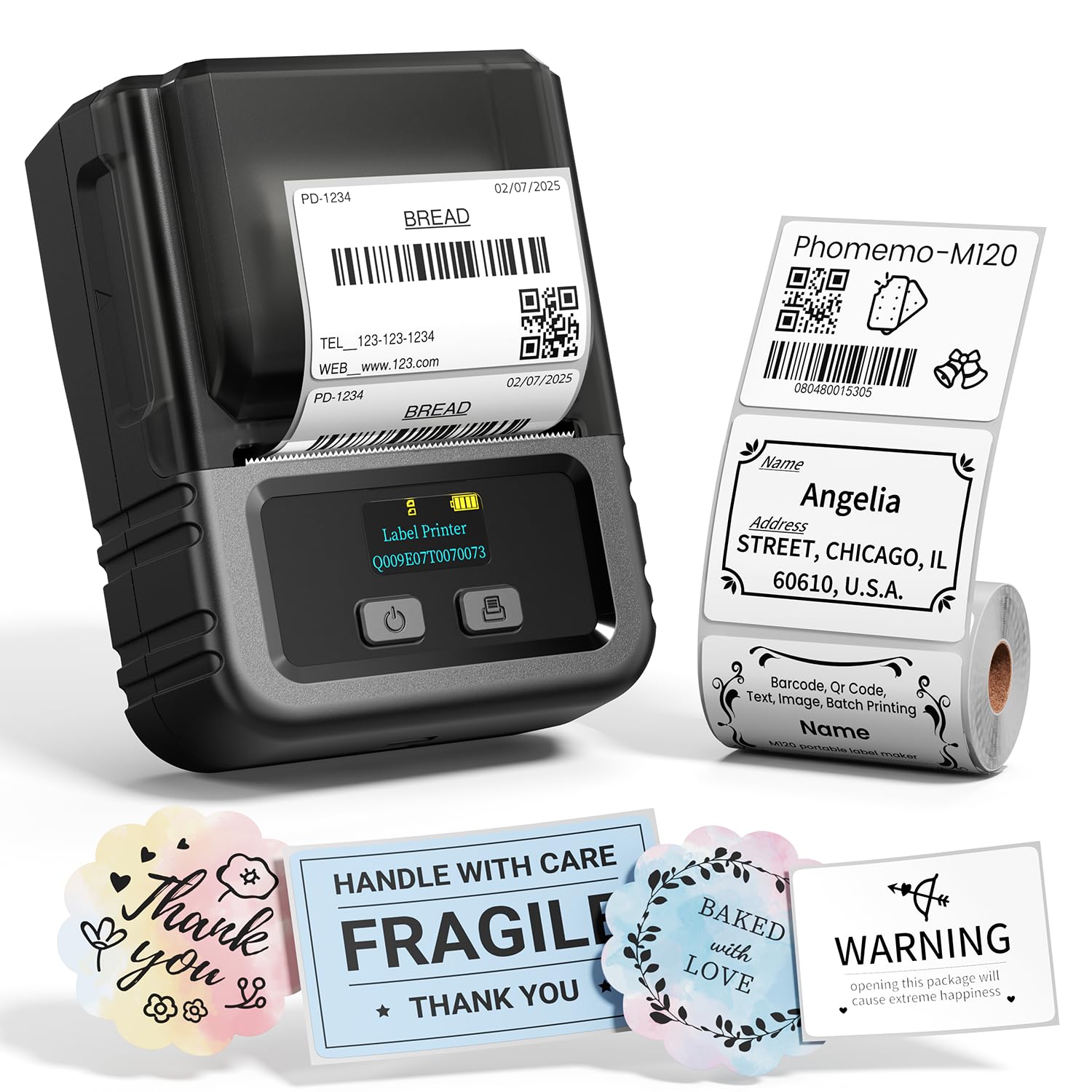
Choose the M120 if computer connectivity is a meaningful part of your routine and its listed 20–50 mm label range suits your work.
The M110 remains a straightforward option if you want its three included label sizes and expect to print from a phone.
- The M120 supports 20–50 mm labels and app-based Bluetooth printing, and its description also lists USB-C computer connectivity for Windows, Mac, and Chrome OS using Labelife software.
- The M110 prints labels 20–50 mm wide and up to 80 mm long, connects through Print Master over Bluetooth, and is described with four hours of continuous working time.
Desktop Label Printers alternative

700+ ratings
Read Amazon ReviewsPhomemo M220 Label Maker
Consider the M220 if you need a wider label format and want both mobile and computer connections. The M110 is the better fit when its narrower label range is sufficient and the included compact rolls are useful.
- The M220 supports label widths from 0.78 to 3.14 inches and offers Bluetooth for phones and tablets plus USB computer connectivity; its description says it does not support 4 × 6 shipping labels.
- The M110 is specified for labels up to 50 mm wide and 80 mm long, with three compact sizes included.
Is Phomemo M110 Worth It?
The Phomemo M110 Label Printer is worth considering for small sellers and home users who need compact product or organization labels, repeatable batches, and app-based design tools.
Three included label sizes, barcode and QR code support, and OCR give it a flexible feature set for that focused role.
Check label dimensions and be comfortable with the Print Master connection flow before buying.
If those conditions fit your routine, the M110 is a practical portable choice; if you need broader formats or regular computer connectivity, compare models built around those needs.
Your review at a glance
1,000+ ratings
Read Amazon ReviewsPhomemo M110 Label Printer
A portable thermal label printer for small sellers and home users who need varied labels, batch printing, and app-based design.
- Prints monochrome thermal labels without ink, toner, or ribbons.
- Supports label widths from 20 to 50 mm and a maximum label length of 80 mm.
- The set includes three label sizes: 40 × 30 mm, 50 × 30 mm, and 50 × 80 mm.
- Prints text, pictures, QR codes, and barcodes, with batch printing support.